 Anchor
Read the real thing. Anchor handles the rest.
Anchor sits inside whatever you're already reading — a raw Japanese light novel, an NHK News article, a Chinese web serial, a Spanish PDF, an EPUB you own — and gives you instant translation, a vocabulary that builds itself, grammar you can actually see, and a voice that reads it back to you offline. Kanji arrive with furigana, Chinese with pinyin, Russian with stress marks. No gamified streaks, no mascots. Just the text you wanted to read in the first place.
Mac (Apple Silicon, macOS 13+) · iPad & iPhone on the App Store
Reads Japanese, Chinese, Korean, Thai, Arabic, Hebrew, Russian, Spanish, French, Italian, Portuguese, German and more · Interface in 9 languages
Tap a word. Watch Anchor work.
This is the real Anchor interface running in your browser — not a video. Tap a glowing word or sentence and see what you’d get while reading.
- Word cards with readings, grammar and example sentences
- Whole-sentence translation with a structure breakdown
- Switch to the browser tab: words you saved get marked on other sites too
- Hit a word you don’t know
- Tap it — the translation pops up
- It’s saved to your vocabulary automatically
Solving the fragmented reading experience
Three Sources, One Vocabulary
Most lookup tools are fragmented: browser extensions only work on web pages, PDF readers have isolated highlights, and ebooks live in another app. Anchor unifies the web, PDFs, EPUBs, TXT files and web novels. Every word you look up flows into the exact same personal database, highlighting your saved words wherever you read next.
Out-of-the-Box Learning Loop
Say goodbye to installing browser extensions, setting up local databases, or configuring AnkiConnect. Anchor integrates instant translation, context-aware highlights, and spaced-repetition (SRS) flashcard reviews into a single, seamless, zero-config workflow.
Local-First & Private
Many modern readers force you to upload your files to their servers. We believe your reading should remain private. Anchor opens your PDFs, EPUBs and TXT files 100% locally on your device — and OCR and read-aloud run on-device too, no audio or page images sent anywhere. Your books, research papers, and annotations never leave your machine.
Anchor is built for people who already know enough of a language to get by and just want to read — NHK News, the raw light novel everyone's talking about, a 中文 web serial, the Spanish edition nobody translated — without stopping every third sentence to open a dictionary in another tab.
— the whole pointPDFs, EPUBs, and the open web — one reader.
Open a book, a document, or any web page inside Anchor — an NHK article, a PDF, an EPUB, a raw light novel. Select a word or a sentence and get its meaning immediately, without breaking your place or your focus.
- TXT, PDF, EPUB and the live web, in the same reader
- Word lookups: definition, dictionary form, grammar notes, examples
- Sentence lookups: a direct, in-context translation
- Reading aids per script: furigana over Japanese kanji, pinyin for Chinese, stress marks for Russian, tashkeel for Arabic
- Save any passage as a highlight, frozen exactly as you read it
- Chapter jumps, line and letter spacing, font size, pinch-to-zoom
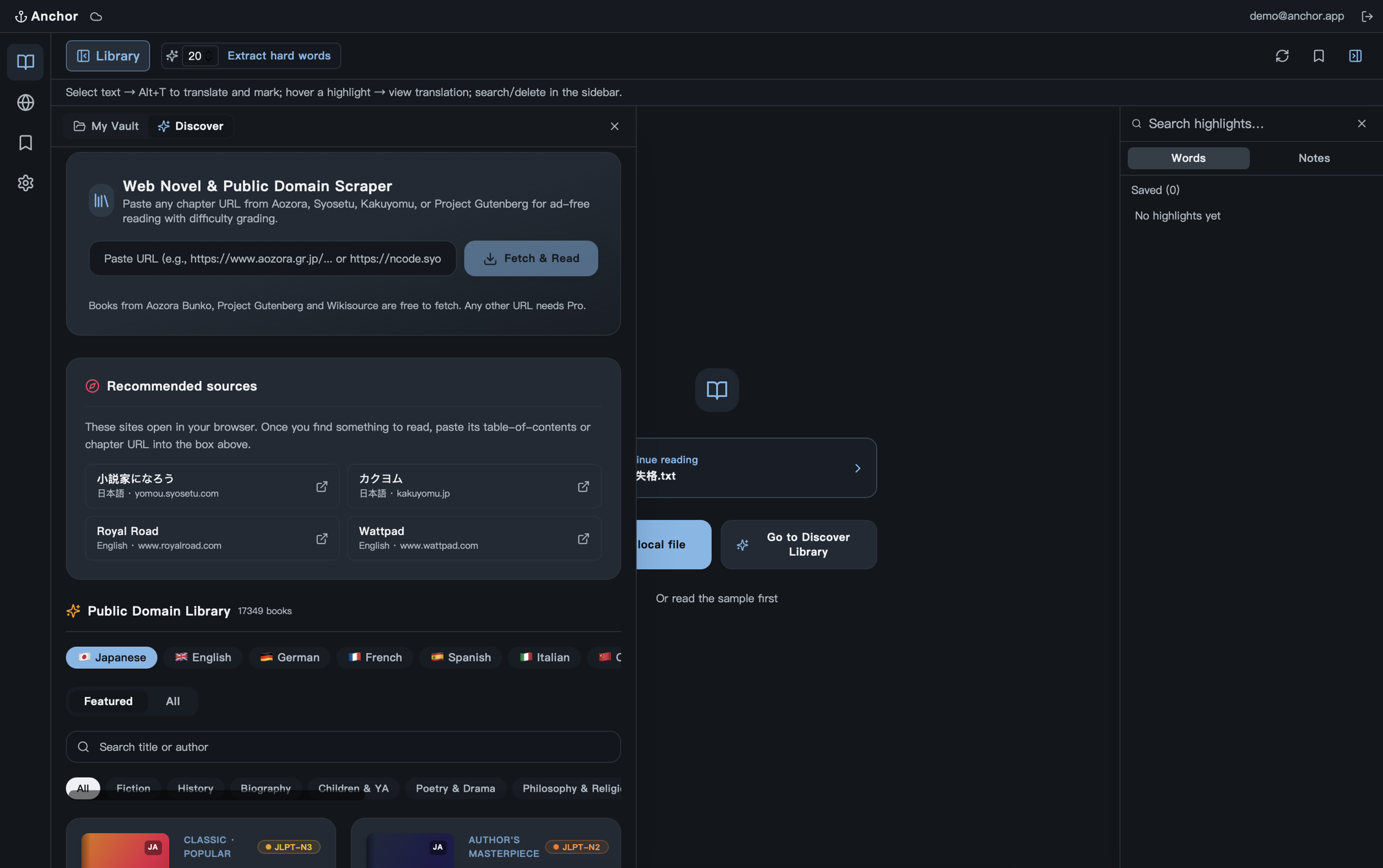
Read raw manga. Learn from every bubble.
Open a manga site in Anchor's browser and the speech bubbles are recognized and translated before you scroll to them — vertical Japanese text included. The original stays on the page: hold a bubble to peek at the translation, or tap it to open a study card.
- Tap any word for its meaning and save it to your vocabulary
- Drag across a phrase to translate just that part
- Furigana and sentence structure, folded away until you want them
- Speed-read mode covers the bubbles with the translation when you just want the story
- Included with Anchor Paid; vertical text needs iOS, iPadOS or macOS 26
Every word you look up is already saved.
You don't maintain a word list — Anchor does. Each lookup becomes an entry with the sentence you found it in, so review is grounded in your own reading instead of a generic deck.
- One entry per word: no duplicates, tracking all occurrences across different sources
- Words you have half-learned get a faint underline as you read, so you see what is still shaky in context
- Cross-device sync: sync your vocabulary and review progress across all your devices
- Export to Anki or CSV when you want your words somewhere else
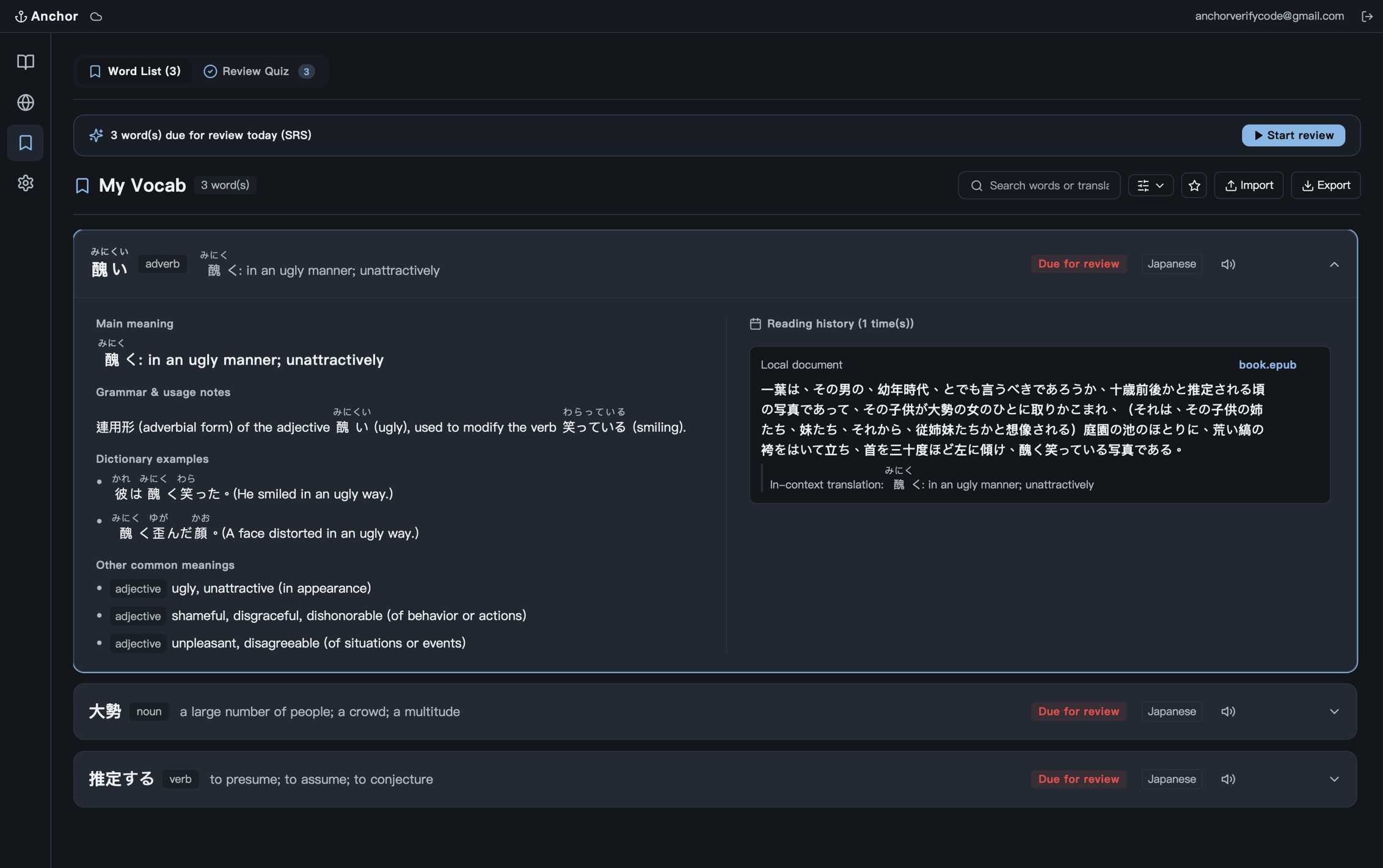
Spaced repetition, built from your own sentences.
Every saved word comes back on a schedule, and it comes back in the sentence you first met it in — not a stock example from a shared deck. A day's queue is short by design: clear it and stop.
- Flashcards and cloze tests, plus a rotating daily quiz
- Each card carries the passage and source it came from
- Filter a session by language, or by a single book
- Review progress syncs across your devices
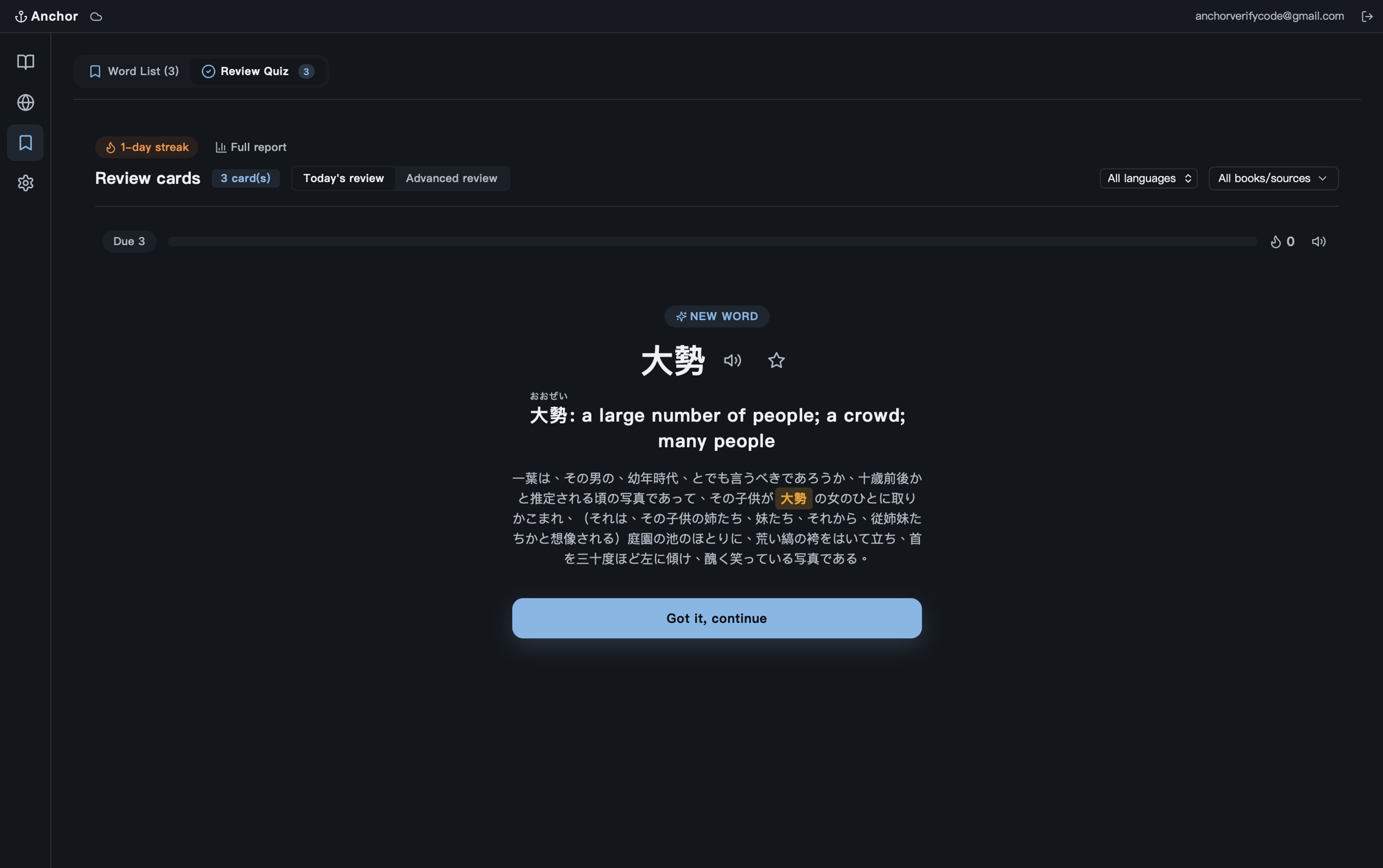
Syntax breakdown for the sentences that don't map onto English.
Japanese buries the important part at the end of the sentence, and folds whole clauses in front of a noun instead of after it. Chinese drops the subject; Russian moves it wherever the emphasis needs it. Anchor breaks a sentence like that into its pieces and names what each one is doing — including the patterns that don't have a direct English equivalent. The example below is Japanese because that is where it earns its keep hardest, but it works on whatever you are reading.
- Clause boundaries marked directly on the sentence
- Automatic character and proper noun (entity) tagging
- Included with Anchor Paid
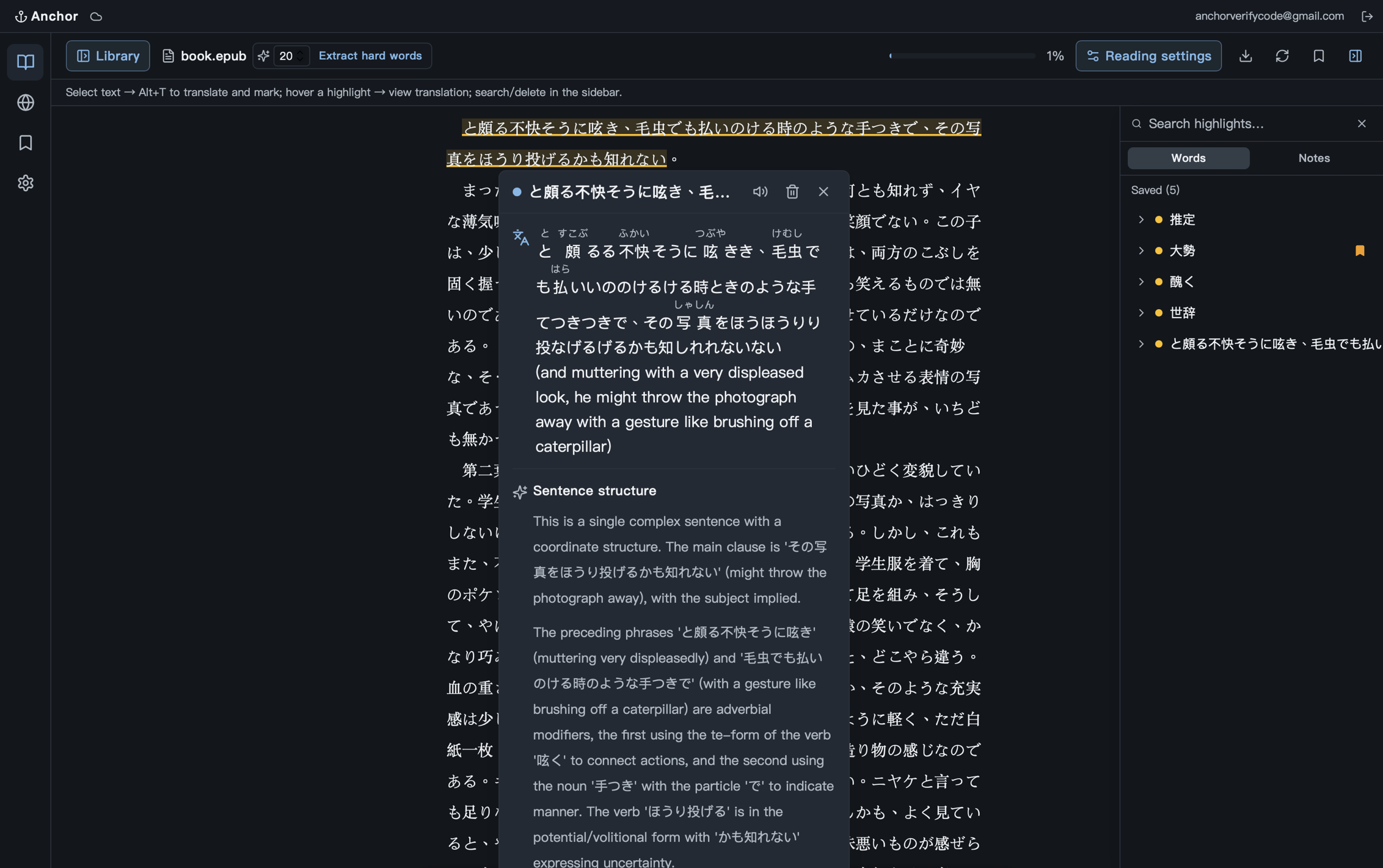
The rest of what Anchor does
88,000 public-domain books, and any page you paste
Browse a catalogue of 88,000+ public-domain books from Project Gutenberg and 青空文庫 — filter by language and category, tap once, and the book lands in your library as an EPUB. Reading something else? Paste its address and Anchor pulls the page in, images and all, then follows the page's own "next" link when you want the next part.
Read-aloud with a neural voice
A neural text-to-speech model runs on your own device — no upload, no per-character quota, no robotic built-in system voice. Tap the speaker on any word or sentence for free; Paid reads a whole chapter aloud karaoke-style, highlighting each sentence as it goes.
OCR for scans and images
Scanned PDF pages and images inside web pages get recognised on-device, word by word, using the real character boxes rather than a guess. Tap or drag over text in a picture and look it up exactly like any other text.
Built-in browser
A real tabbed browser lives inside Anchor, with an Explore tab built from the sites you actually visit rather than a stock bookmark list. Look words up on any page without installing an extension.
Reading analytics
Maturity distribution, a most-forgotten ranking, which words you recognise across different sources, a review heatmap, week-over-week comparison and milestones — measured from your own reading, not from a streak counter.
Pull out the hard words first
Ask Anchor to extract the words worth learning from a chapter before you read it, with a real example sentence for each. Public-domain boilerplate (Project Gutenberg headers and title pages) is stripped out so you get vocabulary, not front matter.
Daily word widget
An iOS home-screen widget shows a word from your own vocabulary, so a review happens in the two seconds you spend looking at your phone anyway.
Read almost anything, in your own language
Japanese kanji come back with furigana, Chinese with pinyin, Korean with Hanja readings, Arabic with tashkeel, Hebrew with niqqud, Russian with stress marks — and anything else falls back to a plain, careful gloss. The interface itself speaks English, 日本語, 繁體/簡體中文, 한국어, Deutsch, Español, Français and Italiano, and definitions come back in whichever one you picked rather than detouring through English.
Desktop and mobile
A desktop reader on macOS and a phone-shaped reading layout on iPhone and iPad, with pinch-to-zoom, a persistent bottom nav and grid-style file browsing. Your vocabulary, highlights and review progress sync between them.
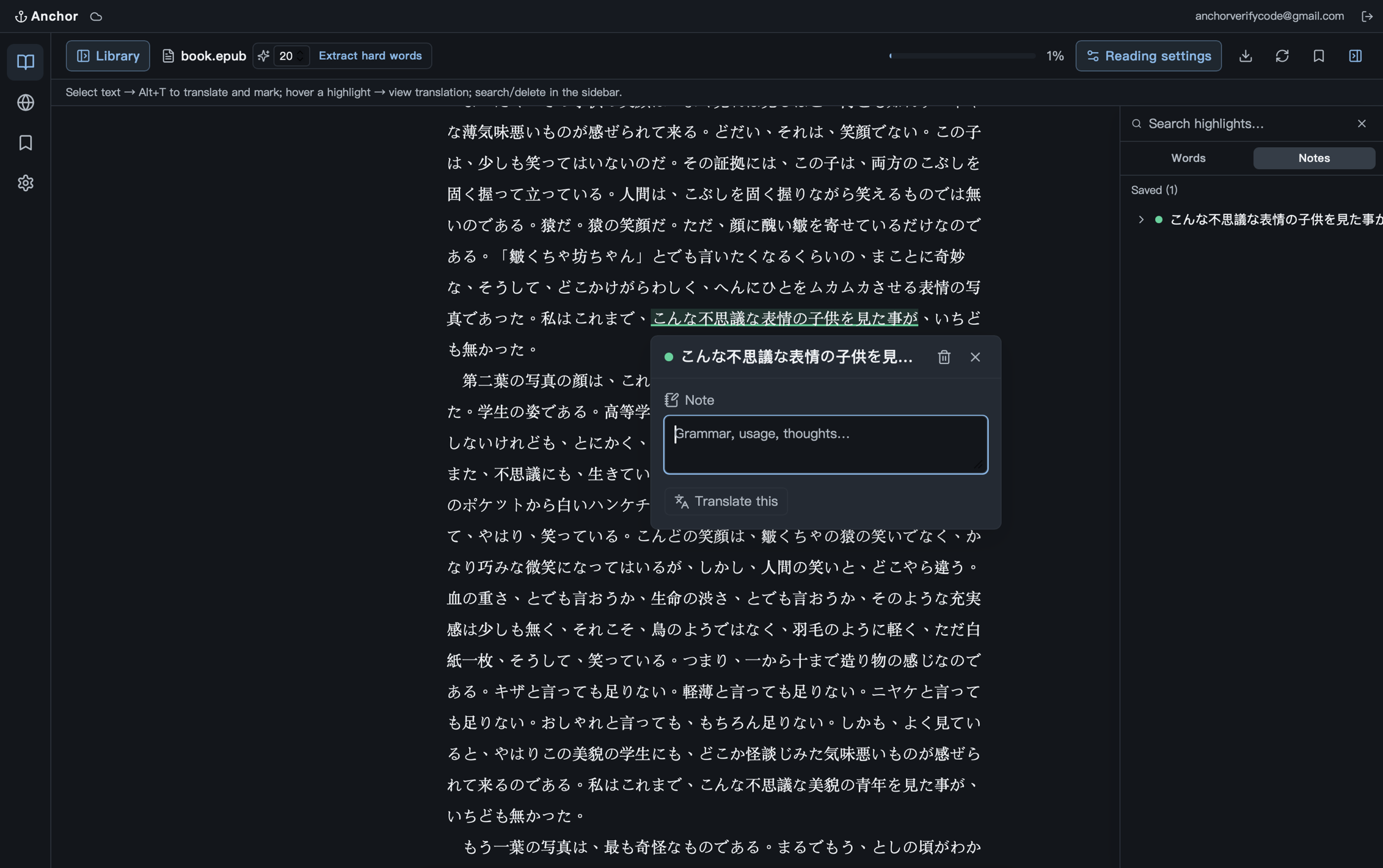
Jot a note on any sentence — Alt+M — and it stays attached to the passage, searchable from the Notes tab.
Start free. Upgrade when the limit gets in your way.
Both plans include cross-device sync, the full reader, the public-domain library, OCR and on-device read-aloud. Paid removes the daily cap and unlocks the deeper reading tools.
- 50 translations per day
- Cross-device sync (vocab, review progress, highlights)
- Core translation — meaning, dictionary form, examples
- TXT, PDF, EPUB and web reading, plus 88,000+ public-domain books
- SRS review, flashcards and cloze tests
- OCR on scans and images
- Read any word or sentence aloud, on-device
- Everything in Free
- No daily translation limit
- Syntax breakdown — clause boundaries, grammar points, key patterns
- Character & proper noun tagging
- Karaoke read-aloud for a whole chapter
- Pull in any web page you paste, and keep following its "next" link
- Anki & CSV vocabulary export
- Vocabulary insights & memory stats